[vc_row][vc_column el_class=”post-navigation”][vc_column_text]
Article navigation
- System for automating the display of electronic price tags or ads on smartphones, tablets, computers and TVs
- Examples of using the system for automating the display of electronic price tags or ads on smartphones, tablets, computers and TVs
- How it works
[/vc_column_text][/vc_column][/vc_row][vc_row el_id=”post-menu-1″ el_class=”post-menu-1″ css=”.vc_custom_1536306299471{padding-top: 40px !important;padding-bottom: 40px !important;}” ][vc_column][vc_custom_heading text=”System for automating the display of electronic price tags or ads on smartphones, tablets, computers and TVs
” font_container=”tag:h2|text_align:center” use_theme_fonts=”yes” css=”.vc_custom_1554203766061{margin-bottom: 25px !important;}” ][vc_row_inner][vc_column_inner width=”7/12″][vc_column_text]iDS SMART is a system for automating the display of electronic price tags or advertising on smartphones, tablets, computers and televisions. One of the key benefits of implementing the system is reduced costs for producing plastic price tags or holders. Transportation and logistics costs, printing expenses and the human factor in updating information are minimized. Automatic updating of information on a single TV or thousands of smartphones takes just a few minutes. iDS SMART provides flexible options for showing prices and detailed product descriptions. Business efficiency is increased through:
- centralized management of assortment and pricing policy;
- improved effectiveness of advertising campaigns and sales of special offers;
- rapid updates of product specifications or new SKUs.
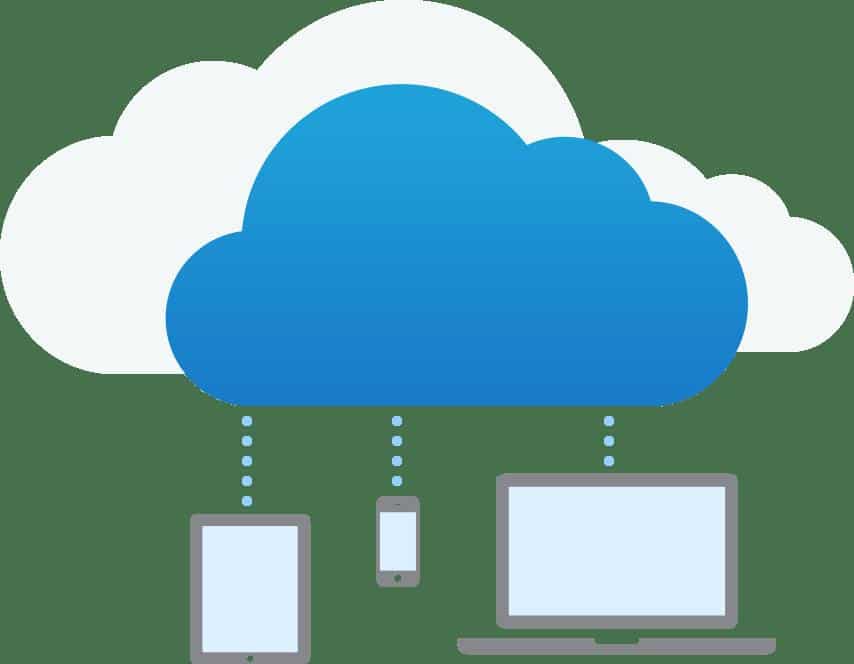
[/vc_column_text][/vc_column_inner][vc_column_inner width=”5/12″][vc_single_image image=”2996″ img_size=”full” alignment=”center”][/vc_column_inner][/vc_row_inner][vc_column_text]Also worth noting are the new capabilities the system provides:
- media planning of advertising content taking into account brand and product model;
- geolocation of the point of sale with specification of time of day or days of the week for display;
- analytics of the best‑selling brands or device models;
- elimination of staff working time spent creating or adjusting paper price tags.
The system is easy to use and many processes are fully automated. It’s enough to enter a short web address in a browser or use the camera to get a link from a QR code — and the device connects to the system. Everything then happens quickly without manager involvement. The iDS app loads automatically. The system detects the type, brand and model of the smartphone/tablet, downloads advertising content and data for the electronic price tag. Integration with company databases allows monitoring of information relevance.[/vc_column_text][/vc_column][/vc_row][vc_row full_width=”stretch_row” css=”.vc_custom_1549961950649{padding-top: 60px !important;padding-bottom: 60px !important;background-color: #36a3dc !important;}” el_class=”call-action”][vc_column][ultimate_heading main_heading=”WANT TO LEARN ABOUT THE BENEFITS OF DIGITAL SIGNAGE FOR YOUR PROJECT?” main_heading_color=”#ffffff” heading_tag=”h4″ sub_heading_color=”#ffffff” main_heading_font_family=”font_family:Roboto|font_call:Roboto|variant:700″ main_heading_style=”font-weight:700;” main_heading_font_size=”desktop:30px;” main_heading_margin=”margin-top:0px;margin-bottom:20px;” sub_heading_font_family=”font_family:Roboto|font_call:Roboto|variant:300″ sub_heading_style=”font-weight:300;” sub_heading_font_size=”desktop:19px;” sub_heading_margin=”margin-bottom:30px;”]Contact us and get a FREE consultation for your project[/ultimate_heading][contact-form-7 id=”2406″][/vc_column][/vc_row][vc_row el_id=”post-menu-2″ el_class=”post-menu-2″ css=”.vc_custom_1551276927880{padding-top: 40px !important;padding-bottom: 20px !important;}” ][vc_column][vc_custom_heading text=”Examples of using the system for automating the display of electronic price tags or ads on smartphones, tablets, computers and TVs” font_container=”tag:h2|text_align:center” use_theme_fonts=”yes” css=”.vc_custom_1554204658195{margin-bottom: 25px !important;}” ][vc_column_text]
Example of using iDS SMART on smartphones.
Interaction scenarios with the buyer and the visual design of the electronic price tag for a smartphone or tablet are individualized.[/vc_column_text][vc_row_inner css=”.vc_custom_1536306393037{margin-top: 20px !important;}” ][vc_column_inner width=”1/3″][vc_single_image image=”3000″ img_size=”full” alignment=”center”][vc_column_text]In idle mode the smartphone screen displays the company logo or advertising, promotions or offers (graphics, video, HTML).
Content delivery to the smartphone is automatic according to system settings. It distributes advertising among brands and models on its own.
You can schedule information display depending on time of day, days of the week, the geolocation of the object and any other conditions.
*Screen burn‑in protection is provided.
[/vc_column_text][/vc_column_inner][vc_column_inner width=”1/3″][vc_single_image image=”3001″ img_size=”full” alignment=”center”][vc_column_text]During interaction with the buyer (accelerometer activation or touch on the screen) the electronic price tag display is activated automatically.
The content and appearance of the price tag can vary and be fully adapted to specific tasks using corporate styling.
Information relevance is maintained automatically thanks to integration with company databases.
[/vc_column_text][/vc_column_inner][vc_column_inner width=”1/3″][vc_single_image image=”3002″ img_size=”full” alignment=”center”][vc_column_text]On a second touch of the smartphone screen or after a set time (5–10 sec) the electronic price tag turns off.
A banner with the price or other information remains on the smartphone’s home screen. It can be slid away or hidden completely. Tapping the banner will reactivate the electronic price tag.
Ad playback restarts automatically. After the phone goes to sleep mode, ad display resumes at the next interaction with the buyer.
[/vc_column_text][/vc_column_inner][/vc_row_inner][/vc_column][/vc_row][vc_row][vc_column][vc_video link=”https://youtu.be/14XZSCGBJLU”][/vc_column][/vc_row][vc_row][vc_column][vc_column_text]
Example of using iDS SMART on computers.
Interaction scenarios with the buyer and the visual design of the electronic price tag can vary.
[/vc_column_text][vc_row_inner][vc_column_inner width=”1/3″][vc_single_image image=”3008″ img_size=”full” alignment=”center”][vc_column_text]In idle mode the computer screen displays the company logo or advertising, promotions or offers (graphics, video, HTML).
Content delivery to the computer is automatic according to system settings. It distributes advertising among brands and models itself.
You can schedule information display depending on time of day, days of the week, geolocation of the object and other conditions.
Screen burn‑in protection is provided.
[/vc_column_text][/vc_column_inner][vc_column_inner width=”1/3″][vc_single_image image=”3009″ img_size=”full” alignment=”center”][vc_column_text]During interaction with the buyer (touchpad interaction or any key press on the keyboard) the electronic price tag display is activated automatically.
The content and appearance of the price tag can vary.
Information relevance is maintained automatically thanks to integration with company databases.
[/vc_column_text][/vc_column_inner][vc_column_inner width=”1/3″][vc_single_image image=”3010″ img_size=”full” alignment=”center”][vc_column_text]On a second touch to the touchpad or keyboard, or after the time elapses, the electronic price tag turns off and the computer returns to regular usage mode.
Ad playback restarts automatically. After the computer goes to sleep mode, ad display resumes at the next interaction with the buyer.
[/vc_column_text][/vc_column_inner][/vc_row_inner][vc_row_inner][vc_column_inner][vc_video link=”https://youtu.be/bS5EEjHFI7g”][/vc_column_inner][/vc_row_inner][/vc_column][/vc_row][vc_row][vc_column][vc_column_text]
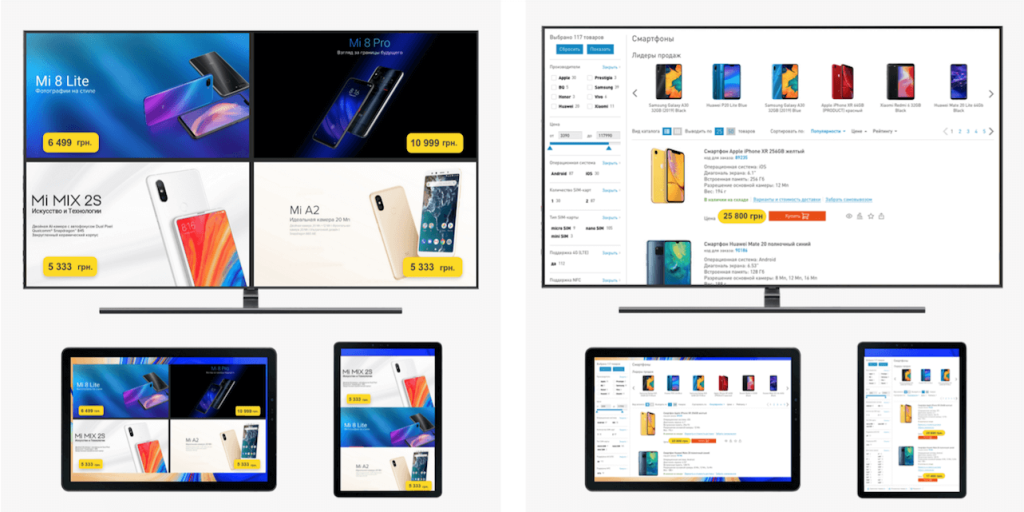
Example of using iDS SMART on televisions.
The visual design of the electronic price tag can vary[/vc_column_text][vc_row_inner][vc_column_inner width=”7/12″][vc_single_image image=”3013″ img_size=”full” alignment=”center”][/vc_column_inner][vc_column_inner width=”5/12″][vc_column_text]An ultra‑compact and powerful media player for performing any Digital Signage tasks. It can be configured in 3 clicks and managed from any device within the local network or via the Internet.[/vc_column_text][vc_single_image image=”3015″ img_size=”full” alignment=”center”][/vc_column_inner][/vc_row_inner][vc_column_text]The iDS media player accepts signal over twisted pair without quality loss, provides high‑quality playback of HD (720p) and Full HD (1080p) video and supports 4K – 3996×2160 and 2K – 2048×1080 content playback.
The iDS SMART software version can be used to display advertising content, inform consumers about the TV model, demonstrate electronic price tags and play high‑quality 4K or 1080p content. Content delivery to the monitor is automatic according to system settings. It distributes advertising among brands and models on its own. You can schedule information display depending on time of day, days of the week, geolocation of the object and other conditions.
To prevent screen burn‑in, automatic movement of the price tag across the screen (motion and area of movement) can be configured.
To implement an electronic price tag on consumer TVs the iDS Android 6.0 media player is used. The media player is compact and easily connects to a TV screen (HDMI). Server connection is made via Wi‑Fi or Ethernet data transmission.[/vc_column_text][vc_row_inner][vc_column_inner][vc_video link=”https://youtu.be/5UsIgMkL6d0″][/vc_column_inner][/vc_row_inner][/vc_column][/vc_row][vc_row][vc_column][vc_column_text]
Example of using iDS SMART to create information systems based on tablets and interactive displays.
The visual design and display logic can vary
[/vc_column_text][vc_row_inner][vc_column_inner width=”1/2″][vc_single_image image=”3016″ img_size=”full” alignment=”center”][vc_column_text]In idle mode a tablet or display shows advertising content (video, graphics, HTML) or top catalog items.
Content delivery is automatic thanks to integration with the enterprise databases. You can schedule advertising content display depending on time of day, days of the week, geolocation of the object and other conditions.
[/vc_column_text][/vc_column_inner][vc_column_inner width=”1/2″][vc_single_image image=”3017″ img_size=”full” alignment=”center”][vc_column_text]On touch or proximity to the screen a catalog menu appears.
All software and hardware buttons on the tablet are locked. Any unauthorized interference with the tablet’s operation is prevented.
[/vc_column_text][/vc_column_inner][/vc_row_inner][/vc_column][/vc_row][vc_row el_id=”post-menu-3″ el_class=”post-menu-2″ css=”.vc_custom_1554207348747{padding-top: 40px !important;padding-bottom: 40px !important;}” ][vc_column][vc_custom_heading text=”How it works” font_container=”tag:h2|text_align:center” use_theme_fonts=”yes” css=”.vc_custom_1554207371138{margin-bottom: 25px !important;}” ][vc_column_text]iDS SMART is software specifically developed to implement centralized content management projects across an unlimited number of sites using various playback devices: smartphones, tablets, consumer and commercial TVs. Management is performed via a cloud or local server. HTTPS protocol with encryption support is used to establish a secure Internet connection. Thanks to broad integration with various databases, POS and accounting systems and ERP, many management functions are automated. [/vc_column_text][vc_single_image image=”3018″ img_size=”full” alignment=”center”][vc_column_text]
CONTENT
Video and graphic files with resolutions 720p, 1080p, 2160p, HTML layouts and audio files can be used as content.
TEMPLATE EDITOR
To simplify administration and content management, a built‑in Editor is used. A content manager can create any screen layout schemes without a designer. The editor tools help set template resolution, orientation and create zones of different sizes and positions for content display.
HTML LAYOUT DATA EDITOR
For dynamic content (menus, schedules, weather or news) HTML layouts created in third‑party applications are used. The integrated data editor allows changing the configuration of the HTML layout and its content directly in the system.
TAGS
System management efficiency is ensured by using tags for all system elements, content, templates and playback devices. Using tags, you can conveniently configure and automate system management.
MEDIA PLANNING
System tools allow effective organization of any content display. This is achieved through flexible content playback settings and the ability to group content into playlists with additional playback settings. You can create different playlist types, set their duration, priority and frequency of display.
GOOGLE DISC
Integration with Google Drive simplifies the content publishing process on devices.
Create folders in Google Drive and register them in the system. Now all content placed in the folders will be automatically delivered to playback devices.
DATABASE INTEGRATION
To automatically maintain the relevance of displayed information, the Data Server application is used. The app monitors information currency in the POS system database or on the company website. Data Server can be configured so that textual information is fetched from one source while supporting content (photos and videos) comes from another.
SYSTEM MONITORING
For assessing system status complete information about devices is provided (model, serial number, connection status, power, free storage space for content).
AD PLAYBACK REPORT
The ad playback report contains the following information:
- time of each playback;
- volume level;
- total number of playbacks across the network;
- total number of playbacks at each location;
- total number of playbacks on each playback device;
ACCESS RIGHTS DISTRIBUTION
System access rights are distributed between administrators and users. An administrator has full system control. A user is limited to rights for managing the locations and content defined by the Administrator.[/vc_column_text][/vc_column][/vc_row]