HoReCa menu boards: what they are and how they work
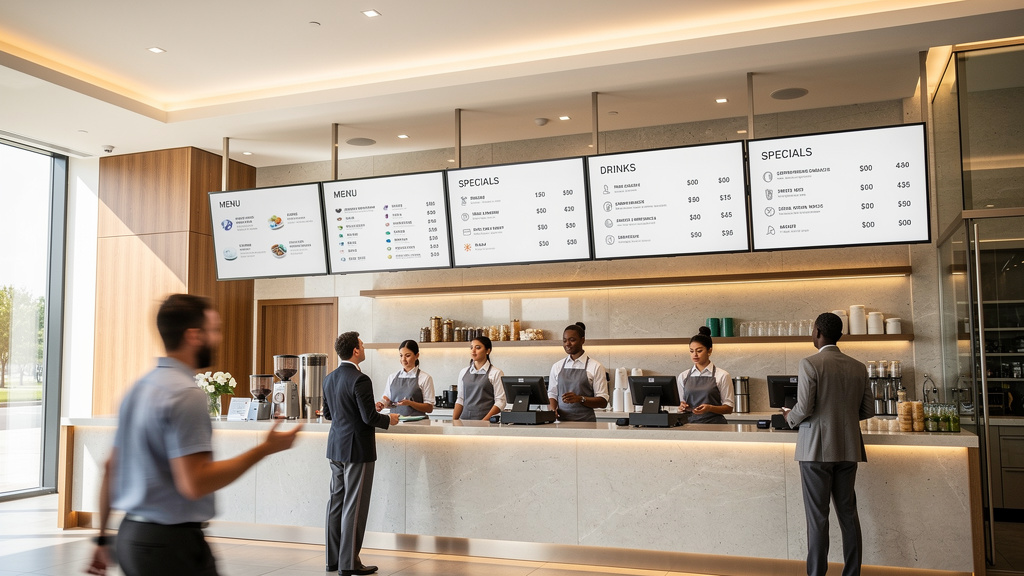
HoReCa menu boards are essentially digital screens or wall-mounted displays where you can show menus, promotions, and various service messages right in the dining room or near the serving area. Why is this cool? Well, first of all, you can instantly change prices or add new items without printing new menus. Second, all your locations display the same information — no discrepancies between branches.
For guests, this means faster orientation in what you offer. For your team, it means less paperwork and fewer communication errors. Sounds good, right?
Defining menu boards and business goals
The menu board in HoReCa works as a central information hub between the kitchen, cash register, and guest. During peak hours, the digital menu on the screen takes some of the load off the staff. Plus, it saves space on tables — especially relevant when printed menus simply don’t fit.
The digital format provides speed and control. However, there is a caveat—it requires discipline in content management. If you do not keep track of updates, everything can turn into chaos.
Usually, the marketing or operations manager is responsible for the process, while IT ensures stable display and configures access. The distribution of roles is critically important here.
How menu boards work technically
The scheme is quite simple: you prepare content in templates, publish it in the management system, the player at the location receives updates and plays everything on the screens according to the schedule.
The key components are as follows:
- display medium — screen or wall-mounted system, sometimes a window display in a shop window
- player — a separate device or built-in module for playing content
- network and remote administration for centralized management
- templates and media files that ensure consistent style and readability
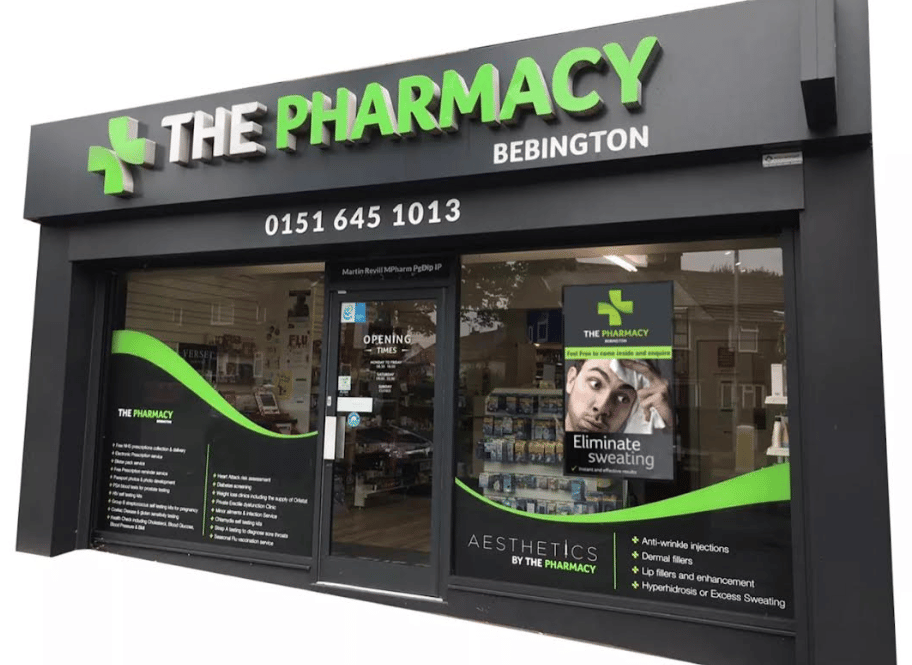
In equipment specifications, you often see something like “55 Inch Ultra High Brightness Window Display,” “55 Inch Drive-thru,” or “55 Inch Outdoor Double Sided Kiosk-AC Cooling.” This is a description of the application scenario, not a guarantee of results. Be sure to check the selection against the actual conditions of the location: lighting, viewing angle, service load.
How to avoid the Page Not Found situation on the screen
The worst nightmare in digital signage is the digital void. Imagine: instead of a menu, the guest sees “404” or “Page Not Found.” Trust in the brand instantly plummets, and sales suffer.
Minimum protection includes:
- local backup playlist
- rules for displaying when connection is lost
- simple status screen for staff
It is also important to avoid web navigation elements in playlists. Items such as “Go Home,” “Go Back,” or “Recent Posts” may accidentally end up in the final display. And that looks very unprofessional.
To make an informed decision, you need to understand where menu boards really provide maximum benefit and where they may be unnecessary.
Where it is appropriate to use menu boards and who they are not suitable for
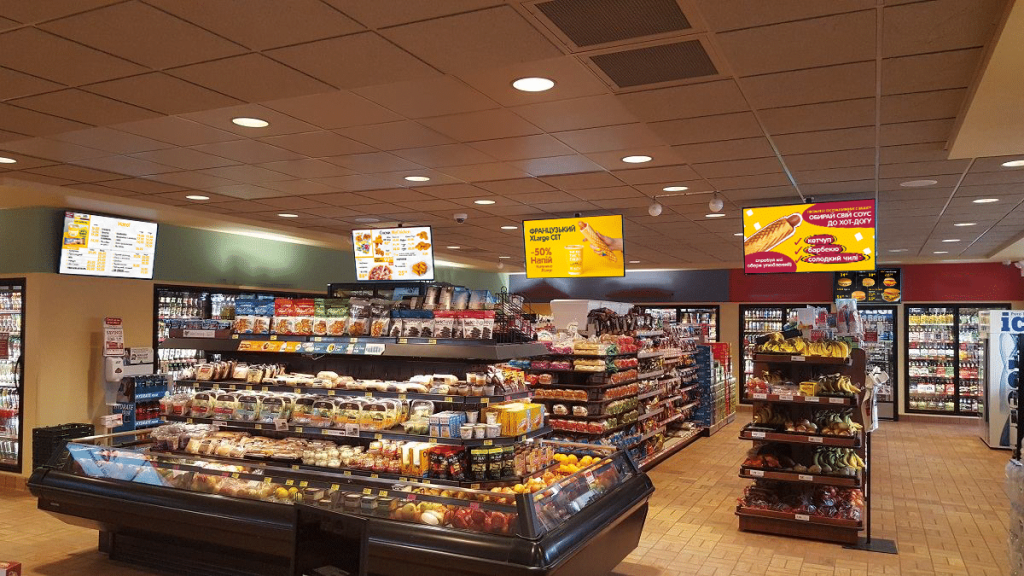
Menu boards work best where the assortment, prices, and promotions change frequently. Where guests need to quickly orient themselves before talking to staff. The maximum effect is achieved by combining screens and centralized updates — the team changes the content once and gets the same presentation at all points.
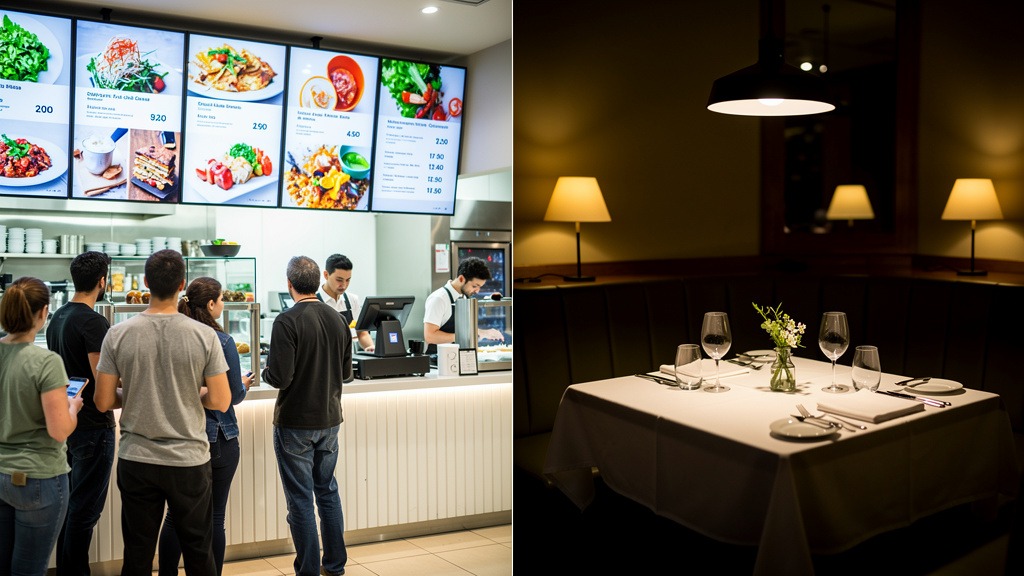
If the establishment has critical order speeds or limited table space, menu boards take some of the navigation burden off the staff. It really works.
Where menu boards have the greatest impact
Menu boards should be considered in locations with high traffic and repetitive ordering scenarios. Food courts. Coffee shops with coffee and pastries. Quick service restaurants. Pick-up points. Self-service areas.
Window formats require bright displays — something like the “55 Inch Ultra High Brightness Window Display.” Otherwise, the menu simply cannot be read in daylight.
A practical tip from experience: the marketing or operations manager usually becomes the content owner, while IT is responsible for stability of playback and access. This is a division that works.
Scenarios that particularly benefit from automation
Signs that you need software for centrally managed menu boards and templates:
- frequent price changes, seasonal items, stop lists
- daily menu items — breakfast, lunch, happy hours
- a network with multiple locations and a need for standardization
- requirement to minimize errors so that the guest does not see a digital void or Page Not Found
If the control panel interface contains navigation elements such as “Go Home,” “Go Back,” or “Recent Posts,” it is important to configure access roles. Accidental editing can damage the publication.
Who might not like menu boards
In intimate establishments with slow service, menu boards may have a lower return. This is especially true where the main value is conversation with the waiter and tasting service.
Screens speed up selection, but can diminish the feeling of a premium experience. If design and lighting are not taken into account for the interior, the result may be the opposite of what is expected.
Understanding the context allows you to move on to creating the menu itself and the rules for serving, so that the content works to promote sales.
Serving and compiling menus on screens and wall-mounted systems: a step-by-step method
A structured menu presentation reduces selection time. It reduces the workload on staff. It increases the likelihood of ordering items with higher margins. The effect is achieved through logical composition, readability, and consistent updates.
This method is applicable to digital screens and wall-mounted systems, regardless of the equipment selected for menu boards.
Step 1 Describe the guest scenario and readability rule
First, determine the viewing point: entrance, cash register, waiting area, display window, window display. Then formulate a business goal for each point — quick selection, upselling, order status information.
Set a rule for readability: guests should understand the category, name, and price at first glance. Without searching with their eyes. Without additional questions.
Assign responsibility for the process: marketing is responsible for structure and text, while the operations team is responsible for price accuracy and availability.
A practical tip for implementation: if the content looks good but is too long, visitors will read it rather than place an order. Shortening the text often has a greater effect than adding new slides.
Step 2 Build the menu structure and priorities
Divide the menu into categories that match the guest’s request: drinks, main courses, desserts, combos, seasonal items. Place the items that need to be sold more often at the top or on the left — for example, combos or bestsellers.
Limit the number of items on a single screen to a level that can actually be read. Move the rest to the next screen or to a QR code.
Add brief explanations: allergens, spiciness, weight. But only where it answers questions.
The balance here is as follows: more details reduce ordering errors, but may increase selection time. The balance is determined by the speed of the checkout line.
Step 3 Develop content and update rules without blank screens
Prepare templates for screen formats: for the hall, display window, drive-through, and double-sided kiosks. According to the scenario.
Establish consistent rules for photos, backgrounds, and contrast so that the price is as easy to read as the name. Create a plan for replacing content when an item is out of stock—the screen should not display empty blocks or broken slides.
Add backup messages in case of publication errors, 404 or Page Not Found. Avoid including web navigation elements in the final playlist.
A restriction that is often ignored: if content is updated manually without approval, there is an increased risk of price discrepancies between the cash register and the screen. Regulations are needed — who publishes, who checks, and when to roll back changes.
Once the content is ready, all that remains is to plan the technical implementation correctly so that everything works smoothly every day.
Implementation of menu boards in an establishment from audit to launch
The systematic implementation of menu boards begins with an audit of the location. This is followed by equipment selection, software configuration, testing, and staff training. This approach reduces operational failures and ensures consistent presentation on all screens.

It is important to immediately identify those responsible for content, technical support, and approval of changes. Otherwise, updates will be chaotic.
Audit of point and business requirements
The purpose of the audit is to understand where the menu is actually read and where it influences choices. Different formats have different viewing distances, viewing angles, and ordering scenarios. Coffee to go is one thing. A food court is another. Drive-thru is something else entirely.
A quick checklist before you start:
- placement: display window, hall, cash desk, service window, Window Display
- lighting, glare, need for increased brightness
- update channels — who changes prices, who approves promotions
- Internet, local network, power access, backup plan
- Is a wall menu necessary as a backup medium in case of screen failure?
Step-by-step implementation plan
Set your business goal: reduce selection time, single submission, quick price changes, fewer errors at the checkout.
Assess mounting points and visibility. Determine the number of screens and orientation, including scenarios such as “55 Inch Drive-thru” or “55 Inch Ultra High Brightness Window Display” if the format requires it.
Agree on the stack: media players, control method, access rights, integration with POS, if planned.
Prepare a content model: categories, templates, naming and pricing rules, language, allergens, time slots. Content development should be a process, not a one-time design.
Configure the software: user roles, promo calendar, template library, version control.
Conduct a pilot test in one area. Collect feedback from cashiers and shift managers. Make adjustments to layouts and procedures.
Scale to all screens. Establish a schedule for updates and assign responsibility.
Testing, launch, and support
Before launching, check for typical failures: network interruptions, player autostart, recovery after power failure, correctness of fonts and prices.
Separately test the display instead of a blank field or 404, Page Not Found. Staff should see a clear message and action for service diagnostics.
Practical advice: the content owner should be the operations manager, while IT is responsible for accessibility and updates. The more approval levels there are, the fewer mistakes there will be, but the slower the promotions will launch.
To keep track of changes, it is useful to maintain an update log in the team’s internal space.
Next, we will look at solutions for equipment and wall mounts for various tasks.
Equipment for menu boards and wall menu options
The right equipment determines whether the menu will be legible in your lighting conditions. Whether it will withstand daily use. How quickly the team will be able to make changes.
The choice depends on three parameters: installation area (hall, showcase, street, drive), interior style, and frequency of updates. To implement menu boards, you need to install not only screens, but also mounts, power supply, network, and a backup display scenario.
How to choose the type of media for the script and lighting
The digital signage screen in the hall is commercial grade with anti-glare and continuous operation mode. This prevents the menu from “floating” in color and fading.
A window display requires high brightness. Otherwise, the sun will reduce the contrast and guests will not be able to read the prices.
For drive-through areas, viewing angles, fast switching between blocks, and protection from dust and precipitation are critical. In such cases, configurations such as “55 Inch Drive-thru” or external solutions such as “55 Inch Outdoor Double Sided Kiosk-AC Cooling” are used when visibility from both sides and temperature control inside the enclosure are required.
Comparison of equipment options and wall solutions
| Option | Where appropriate | Strengths | Compromises |
|---|---|---|---|
| — | — | — | — |
| Screens in the hall | Ticket office, waiting area | Quick updates, scheduled promotions | Cables, brackets, anti-glare protection required |
| 55-inch Ultra High Brightness Window Display | Facade, shopping mall | Readability in bright light | Requires attention to installation and heat dissipation |
| Drive-thru displays | serving window, menu stand | visibility from the car, | ealed enclosures and service access required |
| Настінні рішення без екранів | Зал, бар | Низькі витрати на підтримку, теплий вигляд | Оновлення вручну, ризик помилок у цінах |
| Wall-mounted menu with oak slats | Coffee shops, bakeries | Premium tactility, recognizable style | Slower changes, requires careful installation |
| Interchangeable letters | Short menu, seasonal items | Easy to rearrange without printing | Limited number of characters, staff discipline required |
Practical checks before purchasing
Identify the process owner: who is responsible for content, who is responsible for the technical condition of the screens.
Check service access: how to quickly replace a cable, power supply, media player.
Set up a backup plan in case of missing content so that guests don’t see a digital void or service placeholders such as 404, Page Not Found, Go Home, Go Back, Recent Posts.
Along with hardware, software that manages content and schedules is also important.
Software for menu boards: selection criteria and scenarios
The right menu board software determines whether you can centrally manage your displays. Quickly change prices. Avoid screen glitches.
For HoReCa menu boards, the key factors are player stability, simple content management, POS integration, access security, and scalability. Software should be chosen based on its ability to guarantee predictable performance during peak hours, not just on attractive templates.
Typical usage scenarios in HoReCa
Scenario 1 — centralized network of establishments: one content manager updates the menu, and the changes are automatically sent to all screens in the dining room and for takeout.
Scenario 2 — point updates in one establishment: the administrator changes the stop list and promotions, and the system picks up the display schedule without manual switching.
Scenario 3 — drive and window display: separate playlists for “55 Inch Drive-thru” and Window Display, where readability and response speed to queues are important.
Selection criteria that really affect the outcome
Stable playback and caching to prevent a digital void when the internet connection is lost.
Content management. Access roles. Change history. Process owner.
Integrations: import prices and availability from accounting systems, API if needed.
Security: 2FA, separation of duties, access logs.
Масштабування і підтримка різних зон, включно з “55 Inch Ultra High Brightness Window Display” та “55 Inch Outdoor Double Sided Kiosk-AC Cooling”.
Узгодженість з інфраструктурою: мережа, плеєри і обладнання для меню бордів.
Comparison of approaches to software for menu boards
| Approach | When it is appropriate | Compromise |
|---|---|---|
| — | — | — |
| Cloud CMS with player | Quick implementation on the network, centralized management | Dependence on the Internet, important offline caching |
| Local CMS on the server | T requirements for data control | Resources required for administration and backup |
| Standalone player with local playlists | One point, minimal changes | No single point of control, more human errors |
Pre-launch checks to avoid getting a 404 on the screen
Request a demo project and check if the system can display a clear message instead of 404, Page Not Found, or Requested page not found / missing content.
Web navigation elements such as Go Home, Go Back, or Recent Posts often accidentally appear on screens. Separating digital signage templates from website templates reduces risks.
Even with the right choice of software, there are risks and common mistakes that should be avoided.
Common mistakes and limitations when working with menu boards
Menu boards often fail to deliver the expected results due to overloaded design, poor readability, and unmanaged updates. A critical mistake is when content development and implementation are carried out without access rules, templates, and failure scenarios.
The result for the business is clear: guests take longer to make their choice, staff have to answer the same questions more often, and price changes become a source of errors.
Overloaded screens and reduced readability
Problem: There is too much small text, decorative elements, and simultaneous promotions on the screen. This is especially noticeable in storefronts or scenarios such as “55 Inch Ultra High Brightness Window Display” or “55 Inch Drive-thru,” where reading time is limited.
Solution: standardize layouts for viewing distance and make them “smaller but clearer.” Fewer items on a single screen lead to faster guest decisions and more consistent choices.
Uncontrolled updates and responsibility conflicts
Problem: Changes are made by different people at different times without logging or verification. There is a disconnect between the POS and what is displayed on the screens, even when menu board software is used.
Solution: Appoint a content owner (operations manager) and a technical owner (IT or contractor). Establish publication guidelines.
Practical tip: approve changes through a single channel, not in operational chats.
Update control checklist:
- there is a single calendar of promotions and prices
- access roles are divided into editing and publishing
- there are templates for categories and error alerts
- there is a test screen for verification before release
Content rejection and digital emptiness
Problem: A digital void, empty or broken content appears on the screen, often with a 404 or Page Not Found message.
Solution: Set up a fallback playlist and simple navigation on service screens. Avoid service labels in the final playlist.
For outdoor solutions such as the 55-inch Outdoor Double-Sided Kiosk-AC Cooling, offline cache and automatic player restart are required so that network failures are not immediately visible.
Restrictions: Equipment must be suitable for the installation area, otherwise even perfect content will be unreadable or unstable.
Frequently asked questions about menu boards for HoReCa
Choosing the format and display logic
Question: How to present the menu correctly?
Answer: Proper presentation means short categories, easy-to-read prices, consistent logic across all screens, and priority given to items that need to be sold quickly. Guests should be able to make their selection without having to ask the cashier unnecessary questions.
Key benchmarks:
- one screen, one role (category or promo or reference)
- price and name are read from the typical waiting place
- visual emphasis only on key propositions
Question: What is the procedure for compiling a menu?
Answer: Start with the most frequent orders, then move on to upsells, and finally seasonal or niche items. This order reduces selection time and increases operational efficiency. The menu owner — the operations manager — should be responsible for the order to avoid conflict between “beautiful” and “sells.”
Content, updates, and responsibility
Question: How to create menus on screens with frequent position changes?
Answer: You need templates, naming conventions, and centralized data sources. Then content development doesn’t turn into manual work. To manage updates, use software with access roles and a change log.
Check before starting:
- who approves the price and name, and within what time frame
- how content is tested before publication
- What is the plan of action if the update fails during peak hours?
Question: What can go wrong during updates?
Answer: Most often, failures occur due to the absence of the content owner, inconsistent price sources, or publication without checking readability. More automation provides speed but requires process discipline.
Equipment and placement scenarios
Question: What equipment should be selected for different areas?
Answer: Equipment is selected based on lighting, viewing distance, and operating mode. For storefronts, consider Window Display or “55 Inch Ultra High Brightness Window Display”; for drive-thru areas, consider “55 Inch Drive-thru”; for outdoor use, sometimes “55 Inch Outdoor Double Sided Kiosk-AC Cooling” is required. It is important to consider mounting, power supply, network, and service support.
Implementation and navigation errors on the screen
Question: Where to start with implementing menu boards?
Answer: Start by agreeing on business goals, roles and responsibilities, and upgrade scenarios, and only then choose screens and software. This approach gives predictable results and reduces operational disruptions.
Question: What happened to this page? Why does the guest see a blank screen?
Answer: A typical symptom is a 404 or Page Not Found error when the player does not receive content and a digital void appears on the screen. Do not leave service messages in the final playlist. It is better to set up a backup playlist with a basic menu and a service message for staff.
Conclusions and next steps for implementation
Menu boards are effective when content development is aligned with business goals. When equipment meets location requirements. When the update process runs smoothly every day.
The key result for HoReCa is the quick and accurate delivery of the offer to the guest without unnecessary questions to the staff.
What ensures predictable results
Success comes from a combination of content templates, centralized software for menu boards, coordinated access rights, and publication control. More automation and integration means more requirements for data discipline at the POS and team roles.
Pre-launch checklist
The process owner is designated — who approves changes and who publishes them.
There is a backup scenario to prevent the screen from turning into a digital void.
Navigation messages have been checked for errors, including 404 and Page Not Found, as well as the Go Home, Go Back, and Recent Posts buttons.
Визначено зони показу: Window Display, “55 Inch Ultra High Brightness Window Display”, “55 Inch Drive-thru”, “55 Inch Outdoor Double Sided Kiosk-AC Cooling”.
Practical next step
Start with one scenario—for example, seasonal drinks. Work through the cycle of approval, publication, and rollback. This is how the implementation of menu boards moves from plan to operational habit.
Put together a checklist and start a pilot project in one location. Record the results and scale up to other areas according to the established regulations.