“We can confidently mark the implementation of this project as one of the most important, large‑scale and long‑awaited for our company” — Innovative DMC CEO Andriy Kravchuk

When reflecting on 2022 and our projects, special attention should be given to one of the country’s fastest‑growing retail chains with which we began cooperating. In 2022 the MHP holding opened over 200 stores under its own “Myasomarket” network.
Advertising‑information digital menus powered by the https://dsgo.pro software and hardware were installed in each of these 200 stores.
The year 2022 began very turbulently for the whole country, if not tragically. The start of the war shook everyone and hit Ukraine’s economy hard. Most projects were put on hold. As a result, many enterprises and businesses suffered — some were destroyed, others that survived had to cease operations or switch to a ‘‘wartime mode’’ of operation.
However, despite the full‑scale invasion, MHP’s plans and the bold franchise managers developing the network continued. After a short pause related to the spring outbreak of war, the large‑scale Digital Signage rollout resumed and our team began connecting new outlets.
MHP not only ‘‘withstood the blow’’ and continued operating, but despite difficult circumstances it also continued improving service and participating in volunteer aid projects for the population.
MHP holds a portfolio of successful and recognizable brands. The most successful and well‑known in Ukraine and beyond is the TM “Nasha Ryaba”. The holding also includes brands such as “Qualiko”, “Ukrainian Chicken”, “Sultanah”, “Assilah”, “Sekrety Shefa” (Chef’s Secrets), “Kurator”, “Legko!”, “Bashchynskyi” and “RYABCHICK”.
Background: Vertical integration of production and an in‑house logistics infrastructure made up of nine distribution centers (hubs) in the country’s largest cities allow MHP to maintain strict quality and biosafety control at all stages — from production to the end consumer. This guarantees the holding’s top product quality that meets international standards FSSC 22000, ISO 22000 and BRC Food.
MHP’s products are sold in markets in more than 80 countries worldwide.
Returning to the Digital Signage rollout details, initially MHP’s marketing department approached us with the task of implementing digital menus in the new retail formats “Myasomarket” and Doner Market. The key objective was to reposition the brand from the classic chicken‑meat retail format known to everyone as “Nasha Ryaba” to a modern food‑retail format suitable for rapid franchising under the “Myasomarket” and “Doner Market” brands. For the record, negotiations between Innovative DMC and MHP began at the end of 2020.
In 2021 several pilot projects were executed to fully test both the Digital Signage software (DSGO.pro) and the Digital Signage hardware (iDS+ media player), which are integral parts of our solution.
In other words, while preparing the technical brief and defining requirements for the integrator/executor of the Digital Signage rollout, our company passed through multiple stages and ultimately received the status of exclusive supplier‑integrator of Digital Signage solutions for all MHP projects.
MHP requested a software‑hardware Digital Signage solution capable of covering all tasks related to remote management of audio, video and interactive content across all business formats and locations where digital menus or advertising displays are or will be installed. Installing and migrating to a centralized content‑management system across all LED and LCD screens of the network was a strategic task, making this project one of Innovative DMC’s most important and responsible undertakings in 2022.
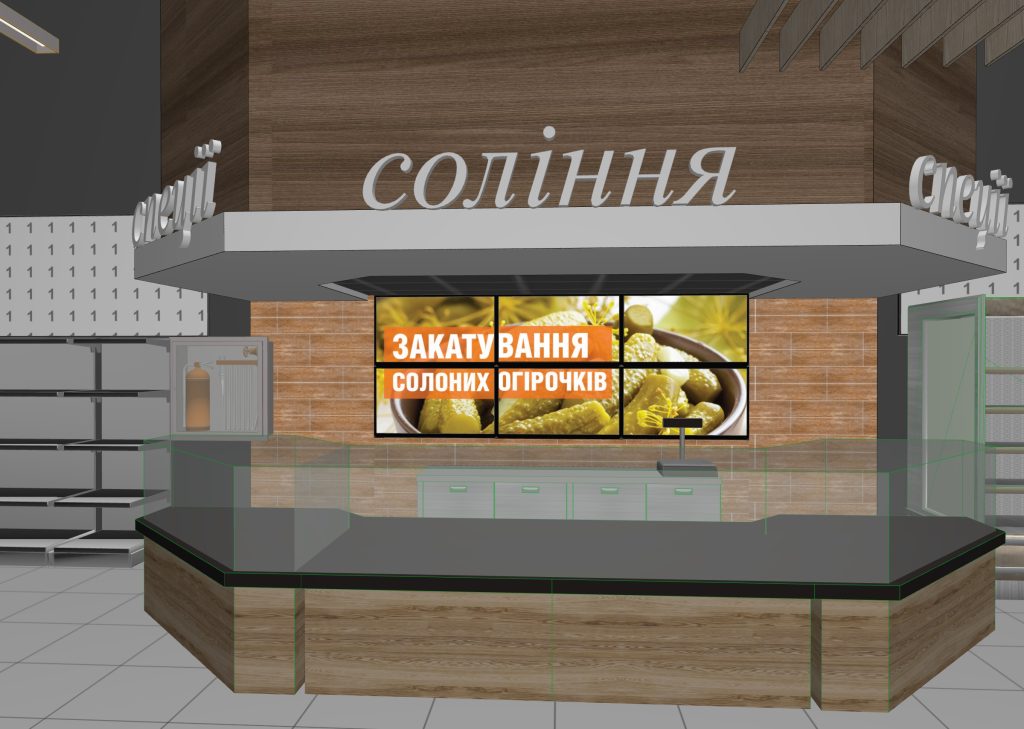
During the project’s scaling the brand team also decided to use video walls (Digital Signage Video‑Wall). An installation consisting of four LCD screens grouped into a single 2×2 video wall was selected. Such installations are a key element of interior or exterior design in any business. MHP’s food‑retail stores were no exception.
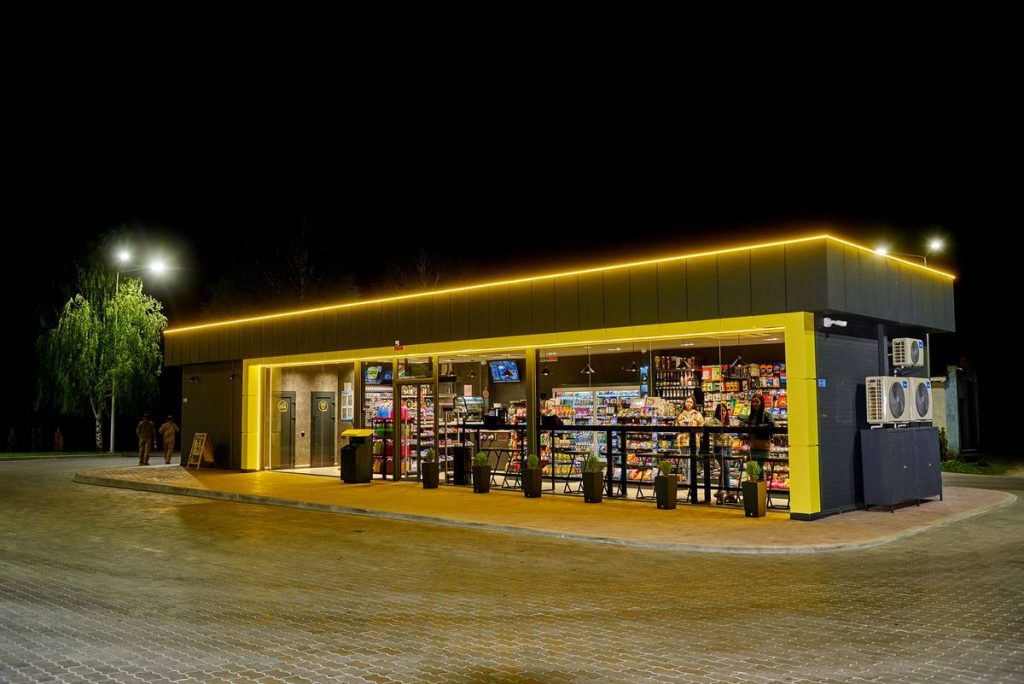
The new TM “Myasomarket” format is a neighborhood store offering a wide assortment of meat and meat products: fresh, chilled and frozen meats and semi‑prepared goods, plus a broad range of ready‑to‑eat products. In short — EVERYTHING needed to prepare favorite dishes. “Myasomarket” is a roughly 100 sq.m store that stands out from ordinary convenience‑store formats.
Specialized equipment and open displays allow products to be presented at their best, as expected in specialty stores. In addition, the digital menu screens broadcast dynamic, appealing and appetizing content designed not only to inform consumers about product advantages but also to ‘‘trigger’’ purchase behavior in‑store. Depending on outlet size, each Myasomarket is equipped with two to six digital menu screens (digital menu boards). A content‑management system forms video content schedules based on time of day, day of week or other flexible criteria. Audio (ambient and/or advertising) is also centrally managed.
By deploying DSGO.pro across the network, MHP gained a single content‑management system for different playback devices. This option enables significant savings on POS production and printed materials, logistics and the process of information updates (price updates across one store or the entire network can be performed in a few clicks from anywhere in the world). Additionally, Digital Signage deployment aims to shorten ROI timelines and increase company profitability through partner advertising campaigns.
Initially, MHP’s main requirement for Digital Signage software and hardware was flexibility for configuring customized content‑management scenarios and the ability to rapidly scale the project across the entire network. As noted earlier, approximately 200 new Myasomarket stores were opened across Ukraine in 2022 — and this during a full‑scale war. Plans for 2023 are ambitious but will depend on the country’s military‑political situation.
Brief description of the request and requirements for a centralized system to manage audio, video and interactive content on digital playback devices (including Android smartphones and tablets)

Main modules:
- SERVER software — a set of software modules, databases and a graphical user interface required to create and manage a content broadcasting network on playback modules (Player software). The host PC operating system — Linux (Ubuntu).
- Player software — the content‑playback module installed on playback devices — Android devices (versions 5–8).
- Agent software — a module for managing Player software and monitoring the state of playback devices. This module can also act as a Content‑Server within a single site, in which case Player software installed on other devices receives content from this Agent module instead of the central server.

Technical requirements for the system.
– Server software installed on the Customer’s PC. The PC configuration is provided by the Developer.
– Unlimited number of managed Players.
– System management via a web interface (browser) both over the Internet and inside a closed local network.
– Guaranteed absence of any hidden or open channels for transmitting or receiving system operation data or for external control, except for representatives of the Customer.
Technical description — Player software
Player software is the content‑playback module. Playback devices include Android smartphones and tablets (versions 5–8).
Main capabilities:
– Downloading content and schedules from the SERVER software.
– Playing content according to the loaded playlist.
– Sending Player and device status information to the SERVER software.
– Loading data for HTML layouts from external sources (e.g., ticketing or POS databases).
– Player software installation on playback devices via Google Play Market.
Functional requirements:
– Seamless and smooth playback of loaded content.
– No playback interruptions during playlist updates or content downloads.
– Playback according to the time specified in the playlist.
– Resumption of playback according to the playlist time after Player shutdown or device reboot.
– Automatic start of Player and content playback after device power on.
– Auto‑start of Player after the device wakes from sleep (automatically or by pressing Power).
– Stopping the Player on screen touch or by pressing Power.
Supported file types:
– Video (avi, mov, mp4, mpeg2, mkv)
– Images (tiff, jpg, bmp, tga (+alpha))
– Audio (mp3, wav)
– HTML‑5 layouts

Technical description — SERVER software.
System management sections:
– Template editor
– File manager
– Player manager
– Settings
The system uses two types of content projects — Main and Advertising. Files placed in the Advertising project have higher priority. Both projects can have their own names and publication properties, and they are assigned to Players during registration and can be changed later.
Each project has a template — a layout (zones) for placing content on the screen. Templates are created in the built‑in template editor. The number of zones in a template is unlimited.
One template zone in both project types is designated as the “Main” zone. Template zones in Advertising and Main projects have different file publication properties.
Project Advertising template zones, in addition to file display properties, have the following settings:
– The ability to create Blocks (or groups) of files. Files within a block play not only according to their own playback properties but also according to block properties — block duration, block repeat interval, file placement method within the block and the logic for handling unacceptable gaps between file plays.
A Block has these property settings:
– Block duration — an exact time (e.g., 15 minutes) or unlimited.
– Block repeat interval — exact time (e.g., every 10 minutes) or repeat without interval.
– Distribution of files within the block — from the start (files are placed from the block start time) or evenly (files are evenly distributed across the block duration; in the pauses between them Main playlist files are shown).
– Removal of pauses between files. A lower threshold is set, upon reaching which pauses between file displays are removed.

Publication property list for files in the Advertising project’s “Main” zone:
– Selection of the date range for file display with the ability to exclude certain dates or days of the week.
– Selection of the time period for file display with the ability to set several time intervals per day (for example 09:00–14:00 and 17:00–21:00).
– Selection of number of plays per hour (calculated from the possible number of blocks played per hour).
– Selection of the audio track for the file (file audio, disable audio track, or select a folder of audio files as the track). If several files use the same audio folder, audio playback continues across file transitions.
– Audio level adjustment.
– Enable “full screen” mode if using a multi‑zone template.
– Choose transition effects between files (video and graphics).

For Secondary zones of the Advertising project, the file publication properties list is the same except for:
– selection of the audio track.
– audio level adjustment.
– enable “full screen” mode.
Publication property list for files in the Main project’s “Main” zone:
– Selection of the date range for file display with the ability to exclude certain dates or days of the week.
– Selection of the time period for file display with capability for multiple time intervals per day (e.g., 09:00–14:00 and 17:00–21:00).
– Selection of the audio track for the file (file audio, disable audio track, or select a folder of audio files). If several files use the same audio folder, audio playback continues across file transitions.
– Audio level adjustment.
– Enable “full screen” mode if using a multi‑zone template.
– Choose transition effects between files (video and graphics).
For Secondary zones of the Main project, the publication properties list is the same except for:
– selection of the audio track.
– audio level adjustment.
– enable “full screen” mode.

1. Template editor
An application for creating content layout schemes on the screen.
Editor tools:
– create a zone.
– set position.
– set size.
– alignment tools for zones relative to a selected zone.
– tools to define zone height relative to others.
– select main zone.
– choose template background color.
– Templates are saved in a Template Library (name, date, screenshot).
2. File manager
The file manager is used for searching, previewing and managing files.
Supported file types:
– Video (avi, mov, mp4, mpeg2, mkv)
– Images (tiff, jpg, bmp, tga (+alpha))
– Audio (mp3, wav)
– HTML‑5 layouts
Main capabilities:
-
Upload and download files
– from the local PC drive.
– from external network drives or resources (Google, Dropbox).
– connect to folder systems located on external drives and resources with automatic synchronization of files between the resource — server — players.
– create or assign properties to files or folders to facilitate searching, sorting and grouping.
- Create and edit file and folder properties
– create and edit properties for a file or group of files. A property can be anything — content type, object type, object zone, client name, etc. Any number of properties can be assigned to a file or folder.
– create and edit folders and their properties.
-
Search uploaded files in the system
– search files by name (full and partial).
– search files by file and/or folder properties.
-
File publication
– publish a file/folder or their groups.
– automatic selection of Players for publication based on matching properties of files/folders and Player software properties. For example, if Player #1 has the property Advertising, publishing files with that same property will populate the list of Players with that property. Because the number of Players can be large, grouping tools by properties are necessary. Files/folders and Player software can have multiple properties.
– manual editing of the Player list selected from the automatically chosen group.
– choose publication mode — Now or scheduled (e.g., at 03:00).
– select the last publication or a previously saved publication template from the Publication Library.
– configure publication properties for a file/folder or their groups.
– configure a function to change playback order of identical files across a group of devices (e.g., on Player 1 playlist starts with file 1, on Player 2 with file 2, on Player 3 with file 3, etc.).
– copy publication properties between files/folders.

Interface requirements:
- file upload via interface elements and drag‑and‑drop.
- display file and folder information:
- file format
- file preview
- size (width/height px)
- upload date
- duration (for video and audio files)
- file and folder size
- file and folder properties
- settings for folders connected from external resources (credentials, update period, file sorting type, display duration for images)
- publication status of file/folder — yes/no/draft (publication properties assigned but not yet published)
- publication properties with the ability to change displayed details (display dates, times, repeat counts, etc.)
- tools for filtering and grouping files/folders by one or more properties for subsequent operations:
- publish
- view and edit publication properties of a file or folder
- move files between folders
- Publication Library — list of recent publications and previously saved publication schemes. Publication scheme information contains:
- scheme name
- type and name of the used project
- template zones and publication properties of files or folders
- list of Players where the file or folder is published
- library tools must allow editing a saved scheme, creating a new one from scratch or based on an existing one
- tools to change or remove publication display properties of published files and folders
- tools to copy publication properties between folders or files

-
Player manager
The Player manager is used for:
- monitoring and managing the status of Player software and devices on which it is installed.
- viewing and editing publication properties of files and folders on a specific Player or group of Players.
- creating new and editing existing Player properties (filters).
Monitoring and managing Player software and devices:
- available (yes/no)
- power status of the device hosting the Player (on/off)
- power management (reboot)
- Player status (on/off)
- control Player state (on/off/reboot)
- display and control device volume level
- display free disk space (with critical minimum alerts) and tools for disk cleanup (remove unused files and data after the last publication)
Interface requirements:
- Display Player properties (filters) with adjustable amount of displayed information.
- Filtering and grouping tools for Players by properties (filters).
- Create new or edit current properties for a single Player or group of Players. Changing a Player’s properties triggers automatic republishing of files that used the changed properties as matching for publication. For example, if Player #1’s property Advertising_1 is changed to Advertising_2, the system checks published files with those properties and republishes them under the new properties.
- Information about the number of devices in a formed group, how many are unavailable, turned off, or have critically low free space.
- Sort devices in a group by power state, availability, free space.
- Tools to manage volume, power and disk cleanup.
- Display a screenshot of currently playing content with an option to disable screenshots for faster loading.
- Device name.
- Device IP address.
- Volume level, device power status, free disk space.
- View list of published files and folders for selected Players.
- Information about publication properties for each file and folder.
- Sort published files by type, project name.
- Information about file size, duration and resolution.
- Information about publication properties of each file.
- Tools to create, edit and delete publication properties for single or multiple files and folders.
- Tools to replace published files with others while preserving publication properties.

-
Settings
System settings consist of several sections and serve to:
- register and configure Player software.
- register system users.
- create a client database and view playback reports for their files.
Player registration and configuration.
This section displays the full list of registered/unregistered Players, Agents and their settings.
To register Player and Agent software the user uploads installation files for Android devices (available in this section).
Registration proceeds as follows — on first launch the app appears in the “Unregistered” list with device name (Brand, model, IP address) and type (Player or Agent). The user enters additional data and performs settings:
- name,
- properties (filters)
- display orientation — 0, 90, 180, 270
- template area coordinate settings for the device (for video walls)
- project selection for both types (Main and Advertising)
- Content‑Server selection
- define the Player group within which automatic change of playback order will occur
- time zone settings
- device sleep mode settings
- choose content storage location — internal memory or external (SD card)
Interface requirements:
– Tools to configure (including delete) an individual device or a group formed by properties (filters).
– Create new and edit existing properties (filters).
– Tools to identify a device or formed group (display on the device screen information about it: brand, model, IP address).
User registration.
Two user types — Admin and User.
Admin rights are unrestricted. User rights are limited — access to certain devices and content (individual or group) is assigned.
Registration fields:
- Name
- Login
- E‑mail
Users create their own password on first system login.
Interface requirements:
– Tools to create, edit and delete users.
– User rights configuration.
Create a client database and view playback reports for their files.
Clients are legal or natural persons owning files used in the system. Each client may own multiple files.
Registration fields:
- Name
- E‑mail
- Note
Interface requirements:
– Tools to create, edit and delete Clients.
– Tools to select a Client’s files.
– Generate a report on a client’s file playback:
– total number of plays in the system for a specified period.
– number of plays for a specified period on a specific device or group formed by properties (filters) (date and time of play).
– export client report to xlsx format.
IMPORTANT: This is only part of the technical brief — specifically the system requirements stated during pilot projects and the overall tender for choosing the system.
After two pilots, MHP announced and then ran an open tender: “Implementation of a centralized system for managing audio, video and interactive content based on a Digital Signage solution.” As later became known, many integrator companies submitted proposals, but only three finalists (including our company) were selected for detailed evaluation against the declared requirements. After thorough examination of all proposals and analysis of the functional capabilities of presented Digital Signage solutions, MHP’s tender committee and expert group unanimously approved Innovative DMC (LLC “IDMS”) as the exclusive supplier of software‑hardware Digital Signage solutions.

On December 30, 2021, ahead of the New Year 2022, we signed a cooperation agreement and became the official partner of MHP for implementing and scaling Digital Signage solutions in the “Myasomarket” network
Thus, summarizing the first year of scaling the Digital Signage rollout in the Myasomarket food‑retail network, we can confidently say — 2023 promises to be full of interesting and innovative projects in HoReCa, Retail, Entertainment and beyond, which we will gladly share in upcoming articles.