Here’s what usually happens: the restaurant is full, there’s a queue at the checkout, waiters are rushing between tables. Customers are getting nervous, and you’re losing revenue and honest feedback. The solution is simple and effective: a QR menu. The guest scans the code, selects dishes, pays by card or via Apple Pay/Google Pay, and the bill is settled automatically. You get faster payments, more stable tips, and more reviews without unnecessary conversation.
Let’s figure it out: what is a QR menu, how does it work, what benefits does it bring to the establishment, how to connect it in a day, and how much does it cost. You will receive a step-by-step plan, a checklist, KPIs for measuring the effect, content tips, and an honest comparison of tariffs and acquiring.
What is a QR menu and how does it work?
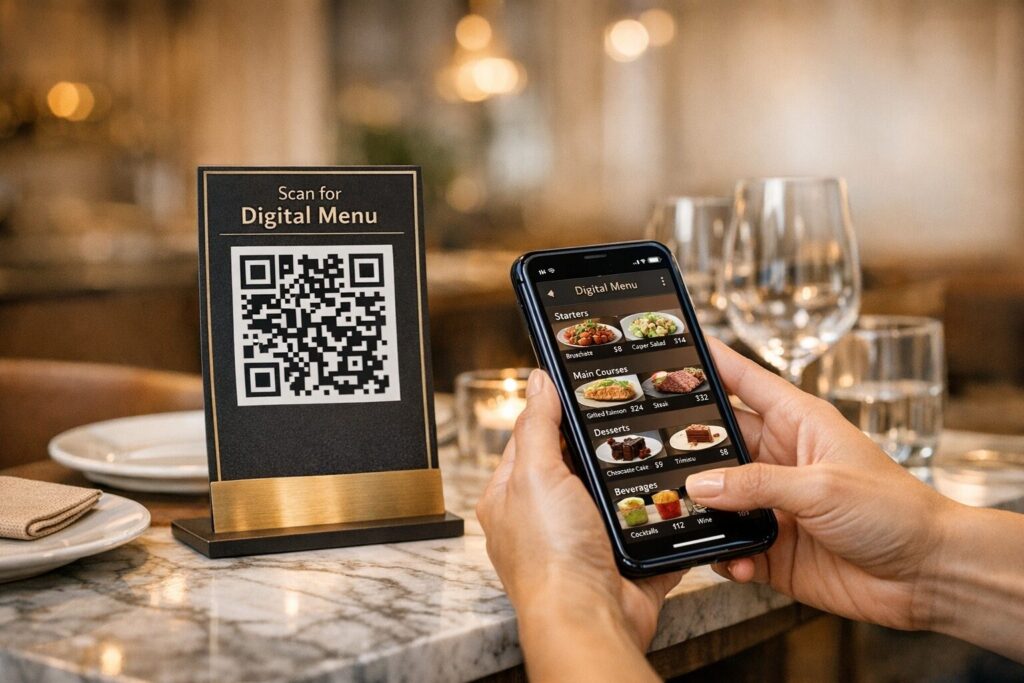
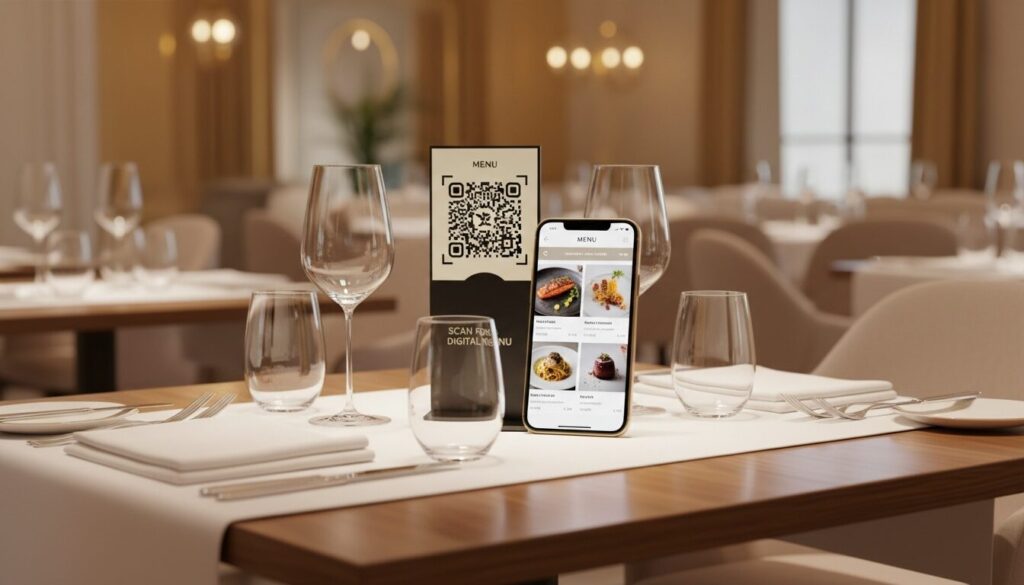
A QR menu is an online menu accessible via a QR code on a table or stand. Essentially, it is a pocket online store for guests: a catalog with photos and descriptions, QR payment (by card or Apple Pay/Google Pay/Visa/Mastercard), and collection of reviews and tips. Unlike PDF or paper flyers, you can change prices and availability in the admin panel, and the updates are visible immediately. Photos of items stimulate appetite and conversion.
How it works in practice.
- Guest flow. Scans the QR code, opens the online menu, adds items to the cart, pays by card or Apple Pay/Google Pay/Visa/Mastercard. After payment, the check closes automatically, the order arrives in the Telegram bot and in the kitchen, where it is processed.
- Administration flow. Add or hide items, synchronize menus with POS, generate unique QR codes for tables and areas, enable multilingualism and analytics. Fewer manual errors, faster updates, better quality control.
Practical conclusion: QR menus combine convenience for guests and control for administrators, so static PDFs can be safely archived.
Advantages of QR menus for establishments
Need proof? Here it is. According to vendors, up to 50% of payments in an establishment can be made via QR, the time for settlement is reduced, and the share of tips increases. Add visual cards with photos — the average check grows because guests choose with their eyes.
What does this give you in practice:
- Faster payments and service. QR payments with automatic receipt closure eliminate queues at the checkout. The team can serve more tables.
- Higher average check. High-quality photos of dishes on the menu increase the number of items added to the cart and expand orders.
- More stable tips. Suggestions of 5/10/15% at checkout work gently but effectively.
- More reviews. Built-in forms collect a short review immediately after payment. You control the service in real time.
- Less manual routine. Synchronization with POS, centralized menu management, and analytics save hours on weekly edits.
Facts from case studies:
- Up to 50% of payments via QR, approximately +20% tips, faster check closure.
- “85% of our payments are made via QR codes,” says Yulia Karakai, owner of Nant, Poster case study.
- “With QR payments, we get more stable tips,” says Anastasia Chaplina, co-owner of Bez Mezh, Poster case study.
Quick tips to see results this week:
- Add high-quality photos for the 30–50% of items with the highest margins.
- Enable the tip prompt and set it to 5/10/15%.
- Activate feedback and notifications in the Telegram bot for instant response.
Practical conclusion: QR menus increase speed, profitability, and quality control. Next up — features that make a difference.
Key features of a modern QR menu
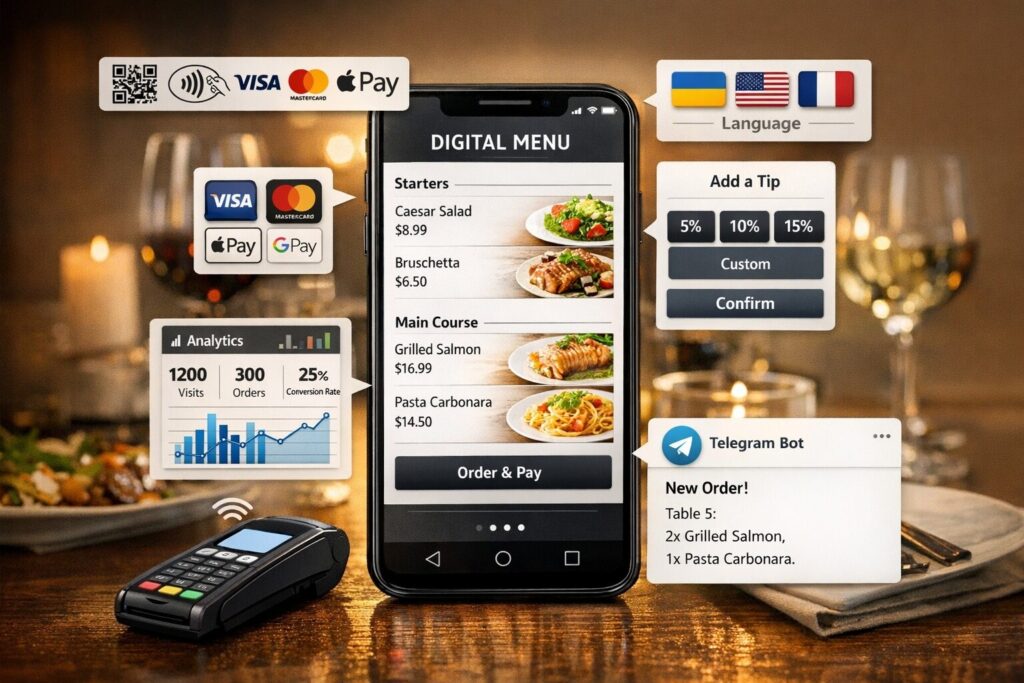
It’s not just the code and the image that determine the outcome. Connections are important: payments, tips, analytics, multilingualism, POS synchronization, and Telegram notifications.
- QR payments with automatic closing. Guests pay by card or Apple Pay/Google Pay, and the bill closes automatically, queues disappear faster, tables turn over more often.
- Tips with hints. Options 5/10/15% increase the tip percentage. Payment to the waiter’s card is possible — motivation works.
- Feedback and moderation in the Telegram bot. The team sees the feedback, keeps the service under control, and quickly fixes errors.
- Menu synchronization with POS. Current prices, hiding missing items, distribution between bar and kitchen, fewer manual errors.
- QR generator and unlimited scans. Create codes for each table or area, test different layouts.
- Multilingualism. Comfort for tourists and guests who do not speak Ukrainian, and therefore higher conversion rates.
- Analytics. See conversions “scan → order → payment,” average check, share of QR payments, and reviews.
Mini-matrix “function → benefit”:
- Payments with automatic closing → Fewer queues, faster table turnover, automatic closing of accounts
- Order distribution bar/kitchen → Fewer mistakes, parallel preparation, shorter waiting times
- Tips to the waiter’s card → Higher staff motivation, transparent payments
- Telegram bot (reviews/orders) → Quick response to negativity, stable ratings
- QR code generator → Easy placement of codes for tables and areas, with no scan limit
- Multilingualism → Convenience for guests, increased conversion rates
- Synchronization with POS plus analytics → Current prices, minimal manual adjustments, performance monitoring
Practical conclusion: when choosing a provider, demand these features. They directly affect the speed of work and revenue.
Implementation: step-by-step plan and timeline
The goal is simple: basic launch in one day. SaaS services allow you to get started in minutes.
- Register and select a rate, 5–30 min. Most services start quickly.
- Import your menu from POS or upload a CSV file, 30–120 min. Check names, categories, and prices.
- Add photos and descriptions of key items, 1–3 hours. Start with 30–50% of your highest-margin dishes.
- Set up payments and tips, 30–60 min. Check the fees with your provider.
- Enable multilingualism and localize descriptions, 30–90 min. Short texts convert better.
- Generate QR codes for tables and areas, 10–30 min. Check readability on print.
- Print stickers or stands, 2–8 hours. From layout to placement, it takes one day.
- Test the entire flow, 30–60 min. Scan → order → payment → notification in Telegram bot/to the kitchen.
- Запустіть тест на 15 днів. Зберіть фідбек і допрацюйте контент (Poster дає 15 днів.
Pre-launch checklist:
- QR codes on tables are read on the first try.
- Prices and availability are synchronized with POS.
- Payment and tips are processed, commissions are taken into account.
- Photos are displayed, descriptions are concise and clear.
- Notifications are sent to staff, orders are distributed between the bar and kitchen.
Practical conclusion: run the basic cycle for a day, then optimize based on the data.
KPIs and analytics: how to measure impact
What to track to understand the real impact of QR menus on operations and revenue.
Key KPIs:
- Share of QR payments. Target — up to 50% of transactions.
- Time to pay. The benchmark is shorter than in the classic service.
- Average check. Compare before and after launch every month.
- Conversion “scan → order.” How many scans result in payment.
- Percentage of orders with feedback. The goal is about half of receipts with a short review.
- Tips. In cases, growth is about +20%.
- Acquiring costs. Take commissions into account in your margin.
Reporting tips:
- Set up weekly dashboards broken down by tables and time slots.
- Link POS and QR platform data to see “revenue on the table.”
- Analyze conversion rates for menu cards, test photos, descriptions, and tip suggestions.
Practical conclusion: look at several KPIs at the same time to get the full picture.
Pricing, acquiring, and TCO (total cost of ownership)
The general cost model is a subscription fee plus acquiring. You pay a monthly fee for the service and transaction fees.
- Starting rates. Examples: Poster from $7/month (QR menu, integrations, notifications), OddMenu — $9–$10/month (QR generator, multilingual support, templates) according to vendor data.
- Acquiring and commissions. According to Poster: 1.3% for bill payment and 1.7% for tips. Include these costs in your margin.
- VAT and additional costs. VAT applies to some services, so check the terms and conditions when paying. Add the cost of printing stickers/stands.
Comparison of “solution → subscription fee → commissions → key features”:
- Poster → $7/month → 1.3% (bill), 1.7% (tip) → QR generator, payments, POS integration, Telegram notifications
- OddMenu → $9–$10/month → VAT may apply → QR generator, multilingual, menu templates
- SaaS options in general → from $7/month → variable acquiring fees → synchronization with POS, analytics, photos in the menu
How to calculate TCO:
Subscription fee for the period plus total acquiring fees (based on your turnover) plus printing of QR media. Compare with the expected ROI for the month and year, adjust your goals.
Practical conclusion: calculate TCO with acquiring and VAT. Invest in photos, because visuals directly affect conversion.
Design and content of a menu that sells
Photos, category structure, and short descriptions are simple tools for increasing conversion rates and average check sizes. This is your “digital menu” that works without a waiter.
Rules that really help:
- Photos of dishes. Add high-quality photos for 30–50% of your most profitable items; photos increase appetite and average check size.
- Short categories. Concise names help guests quickly find what they need.
- Description of items. 10–20 words about taste, ingredients, or serving size. No water.
- Fonts and contrast. Choose readable fonts and contrasting backgrounds for mobile devices.
- Multilingualism and updates. Add at least one foreign language version and use templates for quick edits.
- Tools. Canva is convenient for layouts and visuals, and updates take only a few minutes.
Example of category structure:
- Appetizers — 6–8 items
- Salads — 4–6
- Main dishes — 8–12
- Desserts and beverages — separate microcategories
Practical conclusion: 6–10 strong photos and a simple structure will give you a noticeable increase in conversion. Add menu boards where queues form.
Alternatives and additions: menu boards and applications
QR menus work best at tables. For fast food, cash registers, and high-traffic areas, there are channels that enhance the effect.
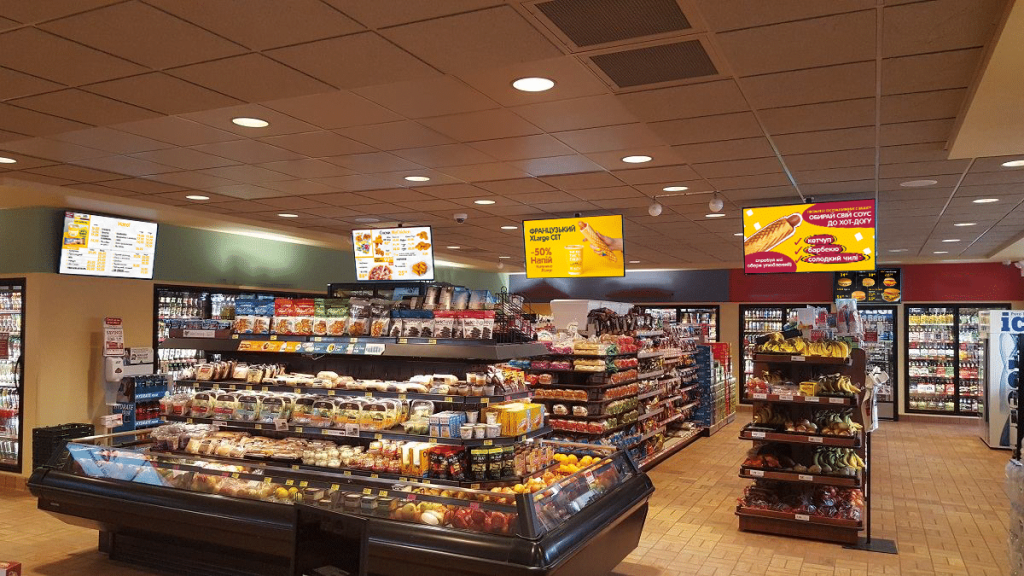
- Menu boards (LCD displays). Useful in high-traffic areas: quickly display prices, promotions, and meal deals. According to suppliers, digital content performs better in terms of engagement in such scenarios.
- Mobile applications. For example, Digital Menu combines menu management, a QR generator, table reservations, and a feedback system that enhances loyalty and push notifications.
Mini table “scenario → solution”:
- Fast food/high traffic → Menu boards (LCD displays)
- Coffee shop with queues → QR menu plus a board with promotions on the screen
- Network with loyalty program → Mobile application (Digital Menu)
Practical conclusion: combine channels, each covering its own tasks.
FAQ
Q: How do I create a QR code for a menu?
A: Create an account on the service, import the menu or upload a CSV file, add photos, and generate codes for tables and areas. With SaaS, it takes just a few minutes, and full launch takes up to one day.
Q: How is a QR menu better than a paper or PDF menu?
V: Instant updates on prices and availability, interactive photos, payment acceptance, and review collection without reprinting menus, faster and cheaper to maintain.
Q: How quickly can I connect?
A: Basic launch in one day. Registration and initial setup take 5–30 minutes, with more time spent on content and photos.
Q: Will there be notifications about reviews?
A: Yes. The platforms send notifications to the manager’s Telegram bot or to the kitchen, and you respond to negative feedback immediately.
Q: What fees should I expect?
Q: Example from Poster: 1.3% for bill payment and 1.7% for tips. Include these costs in TCO and margin.
Q: Is there a trial period?
A: Yes. For example, Poster — 15 days to check the process “scan → order → payment.”
Q: Is VAT applicable?
A: VAT applies to some services, so please check the terms and conditions when paying.
Q: Is it safe to collect data and feedback via the QR menu?
Q: Check the provider’s privacy policy and the possibility of deleting reviews and data in accordance with the terms of service.
Summary and next steps
The bottom line is simple: QR menus speed up payments, increase average checks, stabilize tips, and give you control over reviews and analytics in real time. You know what to look for: auto-close payments, POS synchronization, Telegram notifications, multilingual support, a convenient QR generator, and transparent acquiring fees. Here’s a quick plan: make a list of requirements, activate a 15-day trial, upload the menu, set up payments and tips, and run through the “scan → order → pay” scenario. Ready? Request a Poster QR demo or watch the OddMenu demo and launch a pilot in one day.